 teasa.ai
How do I bring a character I made on Character.AI?
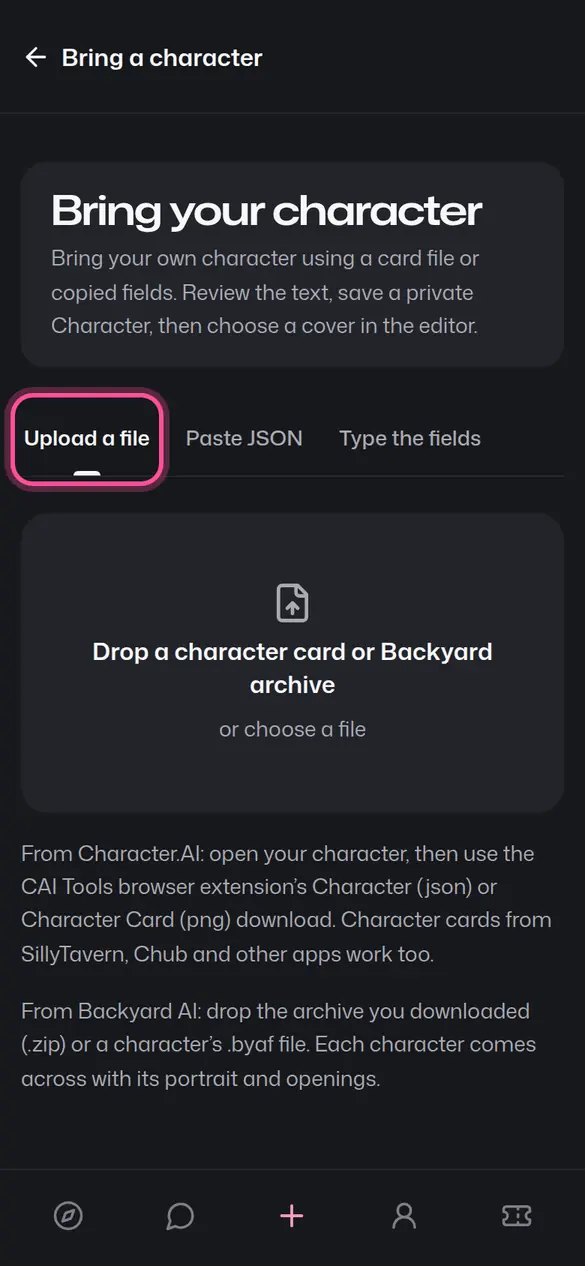
Open Creator Studio, choose Create, then Bring a character, and drop in the file CAI Tools downloads, paste its JSON, or type the name, tagline, description, greeting and definition from Character.AI's editor; each lands in the Teasa field with the same name, and you review it all before saving your private Character.
Get your character out of Character.AI
With CAI Tools. Open a chat with your character on character.ai, open the CAI Tools browser extension and download the character as JSON, or as a character card if it has an avatar. The download includes the definition for characters you made, or whose creator made it public.
By hand. Open your character in Character.AI's editor and copy each field: Name, Tagline, Description, Greeting and Definition. Save the avatar image too.
Bring it to Teasa
- Open Bring a character and sign in, or create a free account. In Creator Studio it's under Create.
- Choose Upload a file (a
.jsonor.pngcard), Paste JSON, or Type the fields, where the whole Definition goes in, example chats included. - Review every field and change anything you like. Text past a limit shows in a Left out box under its field, with Copy, so you can move it.
- Tap Create private Character. It's ready to DM, to cast in a Story or to publish when you choose.
Where each field goes
| On Character.AI | On Teasa |
|---|---|
| Name | Name |
| Tagline | Tagline |
| Description | Description, shown to players |
| Definition | Definition, whole, up to 12,000 characters (2,700 in Japanese, Korean or Chinese) |
| Greeting and its alternates | Greeting, then Greeting 2 to 5 |
| Avatar, in a PNG card | The Character's portrait |
Other character files
Bring a character also reads SillyTavern and Tavern cards (V1, V2 and V3, .json or .png), Oobabooga characters and older CAI Tools downloads. A card's description, personality, scenario and examples go into the Definition under headings, and its creator notes become the Description. A file with several characters lists them.
Bringing your chats too
To continue your conversations, import your Character.AI chats: each comes back as a private Story that picks up where you left off.
Something went wrong?
If a file won't read or a field lands in the wrong place, email hello@teasa.ai with what you saw.
Your next step
Drop in a character file or type its fields, then review and save.
Bring a characterUpdated