 teasa.ai
Can Characters send me pictures on Teasa?
Yes: when a Character sends you a photo in a chat, it arrives locked under their message and develops once you unlock it with Gems or Gold; to see any other moment as a picture, open Chat options and choose Imagine, and Teasa draws the scene with the Characters in it.
Make a scene image
- Open the chat after a Character's reply.
- Open Chat options and choose Imagine.
- Teasa draws the latest moment with the Characters in it and adds the picture to the chat.
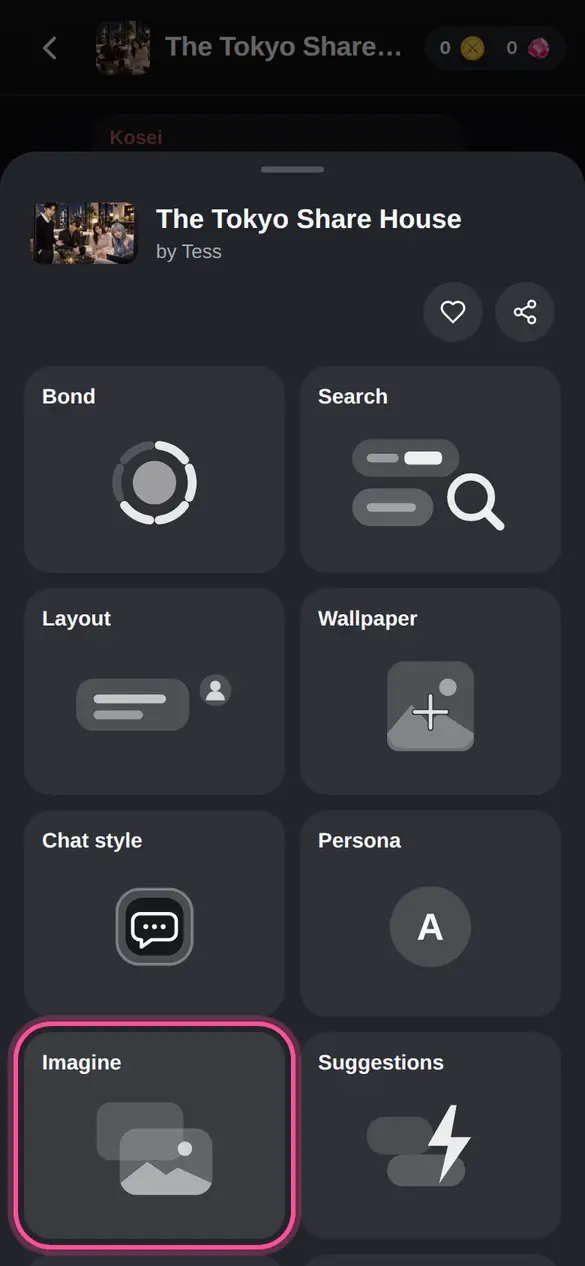
Imagine appears once a Character has replied in the chat. A scene image costs 4 Gems or 300 Gold, and Gold comes from quests and short ads in the app. If it fails or you cancel it, you get your Gems or Gold back.
When a Character sends you a photo
A locked photo appears right under the Character's message, with their portrait. Tap it and unlock it for 4 Gems or 300 Gold, and the photo develops in the chat. If it can't be made, you get your Gems or Gold back. The photos Characters send are yours alone and are kept in Gallery in Chats.
Send a photo to a Character
In a DM on Matcha or Oolong, tap the photo button under the message box, pick a photo and send it. The Character sees it and replies about it. Photos you send stay private to your chat.
Where can I find my pictures?
Scene images and the photos Characters send stay in the chat where they arrived, next to the moment they show, and every one is also in Gallery in Chats. Photos you send stay with your messages, and you can tap any picture to open it larger.
Your next step
Open a chat and turn your favourite moment into a picture.
Open ChatsUpdated